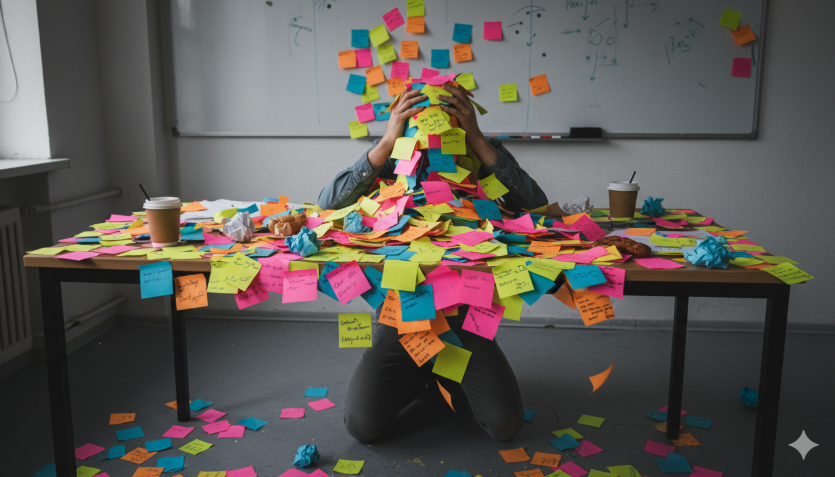
Have you ever tried to organize your thoughts but ended up with a giant mess of sticky notes? We have all been there, and it is honestly so frustrating. Luckily, a really neat tool called Scrapbox is here to save the day. Think of it as a digital notebook, but way smarter than a regular piece of paper. It helps you collect your ideas, write down quick notes, and share things with your friends or teammates. The coolest part is that it does not force you to use messy folders. Instead, it lets your ideas connect naturally, just like the thoughts inside your own brain.
Many people get tired of traditional apps because finding an old note feels like searching for a needle in a haystack. But this tool changes the entire game. It is designed to be super fast and completely stress-free. Whether you are a student trying to pass a big test, a blogger planning new articles, or a team working on a big project together, this platform makes your life a whole lot easier. Let us dive in and see how this awesome app can transform the way you think, write, and organize your daily life.
What is Scrapbox and How Does It Work?
At its core, Scrapbox is an online app made for writing and organizing information. Imagine a giant whiteboard where you can toss index cards anywhere you want. That is the basic vibe of this tool. Instead of hiding your pages inside deep folders, it keeps everything out in the open. When you create a new page, you can start typing instantly without worrying about where it belongs.
The secret power of Scrapbox lies in how it links pages together. It uses a very simple trick called two-way linking. If you type a specific keyword inside brackets, the app automatically creates a link to that topic. It feels like magic because you do not have to organize anything yourself. The app does the heavy lifting by showing you how your different thoughts connect to each other on the bottom of every single page.
The Big Problem with Traditional Folders
Most of us grew up using computers with traditional folders. You make a folder for school, then a folder for science, and then another folder for homework. This system works okay for a little while, but it quickly becomes a total nightmare. What happens if a note fits into two different folders? You get stuck deciding where to put it, which wastes your precious time and energy.
This digital tool completely throws the folder system out the window. It realizes that human thoughts are not neat little boxes. Our brains jump from one idea to a completely different one in a split second. By removing folders, Scrapbox frees your mind to just write. You never have to pause your brainstorming sessions to ask yourself, “Where should I save this file?” You just type, link, and keep moving forward.
How Easy Links Connect Your Thoughts
Linking pages in this app is honestly as simple as pie. All you have to do is put brackets around an important word or phrase. For example, if you are writing about a healthy recipe, you might put brackets around the word “cooking.” Instantly, that word becomes a clickable path to a brand new page all about cooking.
This creates a massive web of knowledge over time. When you visit the main “cooking” page later, you will see a neat list of every single note where you mentioned that word. This makes browsing your own mind feel like surfing the internet. You just click from one link to the next, discovering old ideas you might have completely forgotten about.
Real-Time Editing for You and Your Team
Working by yourself is fun, but sometimes you need to collaborate with your friends or coworkers. This platform shines bright when it comes to teamwork. Multiple people can jump onto the exact same page at the exact same time. You can actually see their colorful cursors moving across the screen as they type out their thoughts live.
This feature is amazing for work meetings or group projects at school. Instead of one person awkwardly taking notes while everyone else talks, every single person can contribute at once. You can brainstorm ideas, fix typos, and add helpful links together without any annoying delays. It makes digital teamwork feel like you are all sitting around the same physical table.
Why Speed Matters for Capturing Ideas
Have you ever had a brilliant idea, but by the time you opened an app and clicked “New File,” the idea totally vanished? That is a huge bummer, and it happens because most software is just too slow. The creators of Scrapbox focused heavily on making their app lightning fast so you never lose a thought.
The app loads up in a blink of an eye. There are no heavy menus to click through and no complicated formatting options to distract you. You simply click, type your fast thought, and close the app. Because it is so lightweight, it works perfectly on old computers and slow internet connections too. It keeps up with the speed of your actual brain.

A Clean Look with Zero Distractions
When you open this writing tool, the first thing you will notice is how clean it looks. The screen is mostly white space with very simple text. There are no massive toolbars filled with hundreds of confusing icons. This minimal design is completely intentional because it helps you focus on what truly matters: your words.
Too many modern apps overwhelm your eyes with flashy colors, heavy themes, and endless settings. This platform says “no thank you” to all that extra noise. By keeping things simple, it stops your mind from wandering. It creates a calm, quiet digital environment where you can do your absolute best thinking without any visual stress.
How Students Can Use This Tool for School
Being a student is tough because you have to memorize a massive amount of facts for different classes. This tool is a total lifester for managing school life. You can create a page for every single lecture you attend. Then, you can link common terms across your history, science, and English notes.
Imagine you are studying a famous historical event in history class, and the same event pops up in your literature reading. By linking them together, you build a powerful custom study guide. When exam week finally rolls around, you won’t have to flip through heavy paper notebooks. You can just click through your connected digital pages to review everything quickly.
Perfect for Project Management and Planning
Planning a big project can feel like juggling flaming torches. You have deadlines to track, tasks to assign, and random notes scattered all over the place. Using Scrapbox for project management keeps everything neatly organized in one central hub. You can create a master page for your project and link out to smaller task pages.
Teams love this setup because it keeps everyone on the exact same page. You can link a teammate’s name directly to the tasks they are responsible for finishing. If someone needs context on a specific job, they can just click the link to see all the background notes. It cuts down on confusing emails and keeps your project moving smoothly.
Scrapbox vs. Other Note Apps: Quick Comparison
It helps to see how this app stacks up against traditional options. Most standard note-taking apps rely on strict hierarchies, while this tool uses a flexible network. Let us break down the main differences so you can see why this unique approach works so well for creative thinkers.
Comparison of Key Features
| Feature | Traditional Note Apps | Scrapbox |
| Organization Style | Strict folders and rigid subfolders | Flexible links and natural webs |
| Setup Time | Slow (you must build folders first) | Instant (just start typing right away) |
| Team Sharing | Often slow or requires paid plans | Free, fast, and happens in real-time |
| Visual Look | Crowded with menus and toolbars | Clean, minimal, and zero distractions |
| Finding Notes | Hard (must remember the folder path) | Easy (just click related link cards) |
Simple Tips to Get Started Today
Getting started with Scrapbox is incredibly easy, and you do not need to be a tech genius at all. First, go to their website and sign up for a free account. Once you are in, create a brand new project space. Do not worry about making it look perfect right away; just focus on getting familiar with the layout.
Start by writing a single note about something simple, like your favorite movies or a daily to-do list. Practice adding brackets around words to see how the links form. As you add more notes, you will see the magic happen at the bottom of your screen. The app will start suggesting related pages automatically, showing you the early stages of your very own knowledge web.

Conclusion: Set Your Mind Free
At the end of the day, managing your ideas should not feel like a chore. Writing should be fun, fast, and completely natural. Scrapbox takes away the annoying friction of folders and lets you focus on creating. It is a wonderful home for your thoughts, projects, and team collaborations.
If you are tired of losing track of your great ideas, give this tool a shot. It is completely free for personal use, so you have absolutely nothing to lose. Start clicking, start linking, and watch your messy thoughts turn into an amazing connected web today!
Frequently Asked Questions
Is Scrapbox free to use for personal notes?
Yes, it is completely free for personal use! You can create as many pages as you want and link them together without paying a single penny. They do offer paid plans for large business teams, but the free version is absolutely packed with awesome features that are perfect for everyday users, students, and solo creators.
Can I use this app on my smartphone?
You absolutely can! While it does not have a traditional app store download, the website is fully optimized for mobile screens. You can open it up in your phone’s internet browser, log in, and type notes on the go. It loads incredibly fast on mobile devices, making it perfect for capturing random ideas while you are out for a walk.
Do I need to learn coding to use it?
Not at all! You do not need any coding skills to enjoy this tool. The only special trick you need to remember is putting brackets [ like this ] around words you want to link. It is much simpler than learning fancy markdown code, making it friendly for kids and adults alike.
Can other people see my personal notes?
Only if you want them to! When you create a new project space, you can set it to be completely private so only your eyes can see it. If you are working on a school project or team task, you can easily change the settings to public or invite specific friends using a private link.
What happens if I make a typo in a link?
If you make a typo inside a bracket, the app will simply create a new page for that misspelled word. Don’t worry, fixing it is a breeze! Just go back, fix the spelling error inside the brackets, and the app will instantly update the connection. It is very forgiving and easy to correct.